
Dell Latitude 7285 2-in-1 Quick Start Guide

Latitude 12 7285 2-in-1 Quick Start Guide
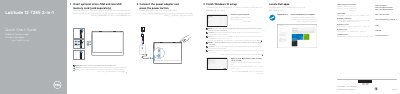

Dell Latitude 7285 2-in-1 Quick Start Guide - cover page
Brand
DELL
Category
Tablets
Document type
Quick Start Guide
Language
English
Pages
2
File format
PDF
File size
303 KB
Published
22 November, 2023
Updated
22 November, 2023
MD5 checksum
A65F2DD9E77FAA0B5B92E3C309D932B7

About this manual

This document serves as a quick start guide for the Dell Latitude 7285 2-in-1 tablet. It provides multilingual instructions for initial setup, including connecting the power adapter, inserting optional micro-SIM and microSD cards, and completing the Windows 10 setup process. Users are advised to activate their network service if using mobile broadband.

What's inside

  • Connect the power adapter
  • Insert memory cards
  • Finish Windows 10 setup
  • Connect to your network
  • Sign in to your Microsoft account
  • Locate Dell apps
  • Product support and manuals
  • Features
  • Intended Use Orientation

Specifications

Operating SystemWindows 10
Regulatory ModelT02J
Regulatory TypeT02J001

Frequently asked questions

Do I need to activate my network service before connecting?

For mobile broadband connection, you may need to activate your network service before connecting.

What is the minimum distance for the tablet screen when the WWAN transmitter is active?

The screen-side must be kept at 15 mm (0.59 inches) or greater distance from the user's body.

Download PDF (303 KB)

More DELL Manuals


View all DELL manuals →