
Dell Latitude 5290 2-in-1 Quick Start Guide

Dell Latitude 5290 2-in-1 Quick Start Guide
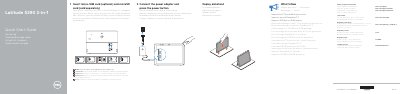

Dell Latitude 5290 2-in-1 Quick Start Guide - cover page
Brand
DELL
Category
Laptops
Document type
Quick Start Guide
Language
English
Pages
2
File format
PDF
File size
116 KB
Published
22 November, 2023
Updated
22 November, 2023
MD5 checksum
7D4949DAD940CD7015EEEA6E9CCD25A9

About this manual

This document serves as a Quick Start Guide for the Dell Latitude 5290 2-in-1 laptop. It provides instructions on how to deploy the kickstand and insert optional cards like the micro-SIM and microSD card. It also directs users to Dell's support website for additional manuals and regulatory information.

What's inside

  • Deploy kickstand
  • Connect power adapter
  • Insert cards
  • Product support
  • Features
  • Regulatory compliance

Specifications

Processor SupportIntel 7th and 8th Gen processors
Memory Speed2133 MHz on 16 GB memory

Frequently asked questions

Where can I find product support and manuals?

You can find product support and manuals at Dell.com/support.

What processor generations does this computer support?

The computer supports Intel 7th and 8th Gen processors.

What is the maximum memory speed supported on 16 GB memory?

The system supports 2133 MHz on 16 GB memory.

Download PDF (116 KB)

More DELL Manuals


View all DELL manuals →