
Dell Latitude 5290 2-in-1 Notebook Quick Start Guide

Dell Latitude 5290 2-in-1 Notebook Quick Start Guide
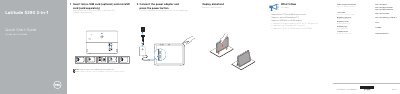

Dell Latitude 5290 2-in-1 Notebook Quick Start Guide - cover page
Brand
DELL
Category
Laptops
Document type
Quick Start Guide
Language
English
Pages
2
File format
PDF
File size
108 KB
Published
22 November, 2023
Updated
22 November, 2023
MD5 checksum
62B475BC3722316D2A503E8A215F5D17

About this manual

This document serves as a Quick Start Guide for the Dell Latitude 5290 2-in-1 notebook. It outlines the initial setup steps, such as connecting the power adapter, pressing the power button, and inserting optional micro-SIM or microSD cards. It also directs users to Dell's support website for further product manuals and contact information.

What's inside

  • Connect the power adapter
  • Insert micro-SIM card
  • Insert microSD card
  • Product support and manuals
  • Features
  • Regulatory model
  • Battery specifications
  • Regulatory compliance

Specifications

Processor SupportIntel 7th and 8th Gen processors
Memory Support2133 MHz on 16 GB
Thunderbolt SupportThunderbolt 3 (optional)
Battery ModelFWRM8
Charger ModelPA-1300-04

Frequently asked questions

Where can I find product support and manuals?

You can find them at Dell.com/support and Dell.com/support/manuals.

What is the regulatory model for this computer?

The regulatory model is T17G.

Download PDF (108 KB)

More DELL Manuals


View all DELL manuals →