
The document describes how to use a Dell computer.
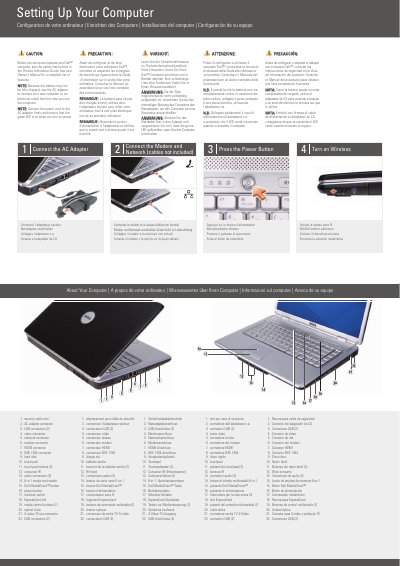
This document is a multilingual quick start guide for Dell computers, providing illustrated steps for initial setup. It covers connecting the AC adapter, modem and network cables, pressing the power button, and enabling wireless connectivity.
The guide includes a labeled diagram of the computer's ports and features, such as USB, HDMI, ExpressCard, and media card reader. It also directs users to the Owner's Manual and Dell support website for further information.
| USB Ports | 4 (two on side, two on rear) |
|---|---|
| Video Output | HDMI, S-Video, VGA |
| Network Connections | Ethernet, Modem, Wireless |
| Media Card Reader | 8-in-1 |
| Optical Drive | Included |
| Audio Connectors | 3 |
| Expansion Slot | ExpressCard |
| Security Slot | Cable lock slot |
Connect the AC adapter to an electrical outlet because the battery may not be fully charged.
See your Owner's Manual for a complete list of features.
Refer to the documentation for your computer or router for information on setting up and using your wireless network.
The green LED should be on when you turn on power, indicating the adapter is connected properly.