
Dell Inspiron 24-5459 Quick Start Guide
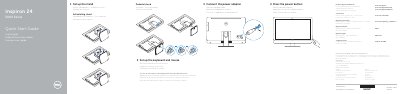
This Quick Start Guide covers the initial setup process for the Dell Inspiron 24-5459 All-in-One PC. It details how to connect the power adapter, set up the keyboard and mouse, and install the stand (pedestal or articulating). The document also includes instructions for completing the Windows setup and setting a password.
| Input Voltage | 100 V CA–240 V CA |
|---|---|
| Input Frequency | 50 Hz–60 Hz |
| Input Current Consumption | 2,50 A |
| Output Voltage | 19,50 V DC |
| Output Current Consumption | 4,62 A/6,70 A |
The computer supports a Pedestal stand and an Articulating stand.
You should see the documentation that shipped with the keyboard and mouse for setup instructions.