
This document provides instructions on how to use a Dell computer, including safety precautions, battery charging, and power connection.
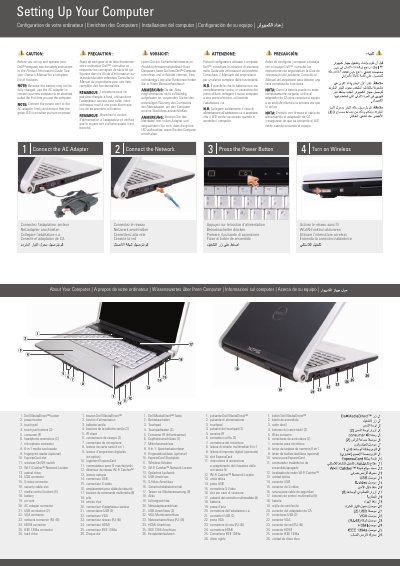
The Dell XPS M1530 computer setup guide provides safety instructions and steps for connecting the AC adapter, network, and power button. It also includes a list of the computer features and optional wireless network setup.
Use the AC adapter to connect the new computer to an electrical outlet the first time you use it. Connect the power cord firmly and ensure the green LED is on when you turn on power.
See the safety instructions in the Product Information Guide and the Owner's Manual for a complete list of features.
Use the AC adapter to connect the new computer to an electrical outlet the first time you use it.