
This document describes how to set up a Dell computer.
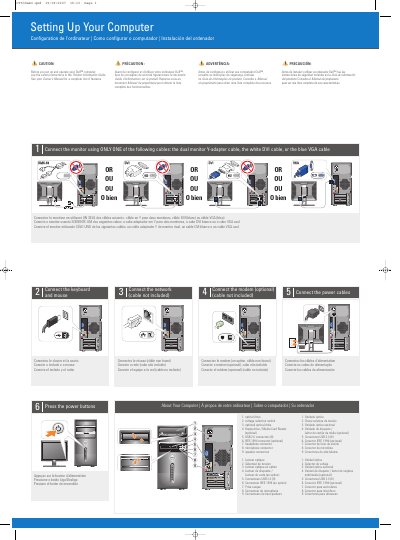
The guide walks you through connecting the monitor, keyboard, mouse, network, modem, power cables, and pressing the power button to start the Dell Vostro computer.
Optional wireless network setup instructions are also provided, and you can refer to the Owner's Manual or support.dell.com for further assistance.
| USB 2.0 connectors | 8 |
|---|---|
| IEEE 1394 connector | optional |
| voltage selection switch | present |
| optional optical drive | available |
Connect the monitor using ONLY ONE of the following cables
See your Owner's Manual for more information about using your computer.
Network (cable not included)