
The Dell Wyse Cloud Client Wyse 3020 Quick Start Guide provides instructions on how to connect the Dell Wyse Cloud Client Wyse 3020 to a display, network, and power source.
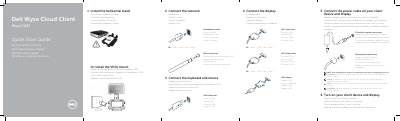
This guide provides quick start instructions for the Dell Wyse 3020 Cloud Client. It details how to connect the display, keyboard, mouse, and network cables, as well as how to install the horizontal stand or VESA mount.
| Network port speed | 10/100/1000 Base-T |
|---|---|
| Power adapter input | +12V DC |
| USB ports | 2x USB 2.0 |
| Video ports | 1x DVI-D, 1x DVI-I (DVI-D/VGA) |
The device is ready when the client device activity light goes off.
You can install the horizontal stand or a VESA mount.