
The Dell computer setup guide includes steps such as connecting the keyboard and mouse, connecting to the network, connecting the modem, and turning on the power.
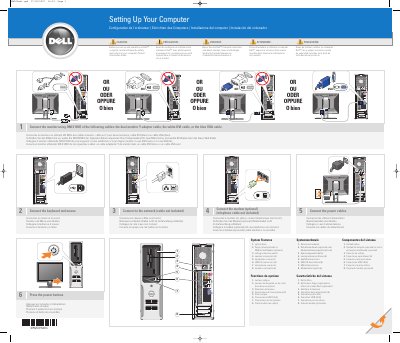
This document provides step-by-step instructions for setting up a Dell computer. It covers connecting essential peripherals such as the keyboard, mouse, and monitor, as well as optional components like the modem and remote control sensor. The guide includes multilingual text in English, French, German, Italian, and Spanish.
| Optical Drive | Included |
|---|---|
| Floppy Drive | Optional |
| Media Card Reader | Optional |
| Speaker Connectors | 6 |
| USB 2.0 Connectors | 6 |
| Modem Card | Optional |
You must use only one of the following: the dual monitor Y-adapter cable, the white DVI cable, or the blue VGA cable.
You should consult the Owner's Manual for more information about using your computer.