
Dell Latitude 14 3000 Series Notebook Quick Start Guide

The Dell Latitude 14 3000 Series Notebook Quick Start Guide.
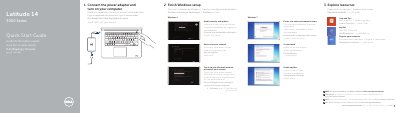

Dell Latitude 14 3000 Series Notebook Quick Start Guide - cover page
Brand
DELL
Category
Laptops
Document type
Quick Start Guide
Language
English
Pages
2
File format
PDF
File size
266 KB
Published
20 November, 2023
Updated
20 November, 2023
MD5 checksum
07072928BAD905266CA4C9F8950295C0

About this manual

This document serves as a Quick Start Guide for the Dell Latitude 14-3450 Series notebook. It provides step-by-step instructions in multiple languages for connecting the power adapter, completing Windows setup, enabling security updates, and connecting to a network. Users are also instructed to sign in to a Microsoft account or create a local one.

What's inside

  • Connect the power adapter
  • Finish Windows setup
  • Enable security and updates
  • Connect to your network
  • Sign in to Microsoft account
  • Create user name and computer name
  • Set password
  • Explore resources
  • Register your computer
  • Hardware features

Specifications

Regulatory modelP51G
Regulatory typeP51G001
Computer modelLatitude 14-3450

Frequently asked questions

Where can I find more information about this product?

For more information, see the Owner's Manual at dell.com/support/manuals.

What is the regulatory model number for this computer?

The regulatory model number is P51G.

Download PDF (266 KB)

More DELL Manuals


View all DELL manuals →