
This document describes how to set up and operate a Dell computer.
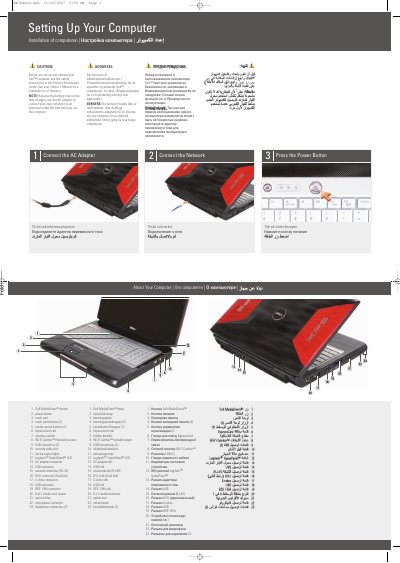
This document provides quick setup instructions for the Dell XPS M1730 laptop. It details how to connect the AC adapter for the first use, connect to a network, and press the power button to start the computer. The guide includes a diagram labeling key components such as the Dell MediaDirect button, touch pad, ExpressCard slot, and various ports including USB, DVI-I, and IEEE 1394.
You must use the AC adapter to connect the computer to an electrical outlet because the battery may not be fully charged.
You should see the Owner's Manual for a complete list of features.
The setup requires an Internet service, a cable or DSL modem, and a wireless router.