
Dell OptiPlex TM USFF 780 AIO Stand Installation Guide

OptiPlex TM USFF 780 AIO Stand (Stand and cables are not included)
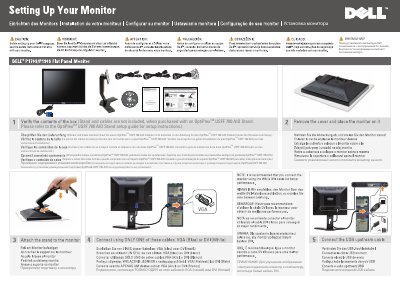

Dell OptiPlex TM USFF 780 AIO Stand Installation Guide - cover page
Brand
DELL
Category
Other Computer Accessories
Document type
Installation Guide
Language
English
Pages
2
File format
PDF
File size
2.6 MB
Published
20 November, 2023
Updated
20 November, 2023
MD5 checksum
F84025A28ADE5DDCD6FCA86BCBB74EC4

About this manual

This document provides installation instructions for the Dell OptiPlex TM USFF 780 AIO monitor stand. It notes that the stand and cables are not included when purchased separately and directs users to the specific setup guide for detailed configuration steps. The guide includes multilingual warnings regarding included components and safety precautions before installation.

What's inside

  • Stand and cables included
  • Setup instructions
  • Safety instructions
  • Monitor mounting
  • Cable connections
  • Power connection
  • Monitor adjustment
  • Trademark notice

Frequently asked questions

Are the stand and cables included when purchasing the OptiPlex TM USFF 780 AIO?

No, the stand and cables are not included when purchased with an OptiPlex TM USFF 780 AIO Stand.

Which video cables are approved for connecting the monitor to the computer?

You must use only one of the VGA (blue) or DVI (white) cables for connection.

Is the AIO stand compatible with the slot or rotation features mentioned in the manual?

No, the rotation and slot features are not applicable for the AIO stand.

Download PDF (2.6 MB)

More DELL Manuals


View all DELL manuals →