
The manual describes how to set up a Dell computer and the features of the computer.
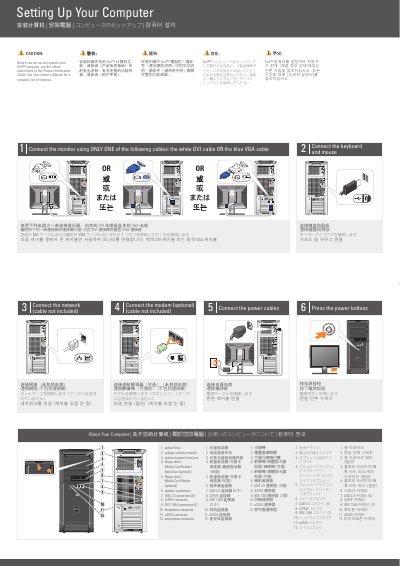
This two-page guide explains how to set up a Dell XPS 420 computer: connect the monitor with either a DVI or VGA cable, connect the keyboard and mouse, connect the network and optional modem, connect the power cables, and press the power buttons. It also identifies the computer's drives and connectors and shows an optional wireless network arrangement.
The guide refers readers to the Owner's Manual and Product Information Guide for more information and includes copyright and trademark notices for Dell Inc.
| USB 2.0 connectors | 8 |
|---|---|
| IEEE 1394 connectors | 2 |
Use only one of the white DVI cable or the blue VGA cable.
See your Owner's Manual, or click the Documentation and Support icon on the desktop or go to support.dell.com.
Internet service, a cable or DSL modem, a wireless router, a desktop computer with a network adapter or USB wireless adapter, and a USB wireless adapter.
See the safety instructions in the Product Information Guide.