
Dell Dimension 1100/B110 User Manual

Dell Dimension 1100/B110 User's Manual
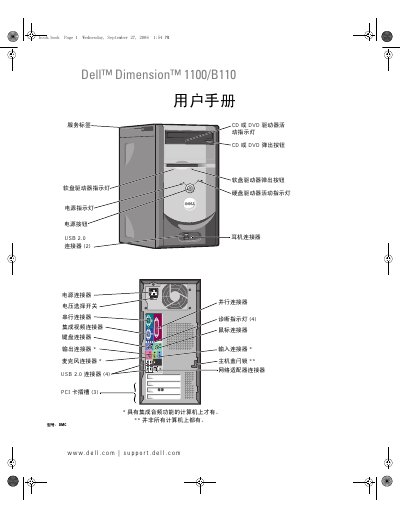

Dell Dimension 1100/B110 User Manual - cover page
Brand
DELL
Category
Desktops
Document type
User Manual
Language
Chinese
Pages
112
File format
PDF
File size
10.9 MB
Published
20 November, 2023
Updated
20 November, 2023
MD5 checksum
C0752E940D27842803C4394E0AD2CA12

About this manual

This document serves as the user guide for the Dell Dimension 1100/B110 desktop computer. It covers essential topics including setting up the printer and network, playing and copying CDs and DVDs, and adjusting system settings. The guide also explains how to use Windows Help and Support to find solutions for common issues. This manual is written in Chinese.

What's inside

  • Setting Up and Using the Computer
  • Troubleshooting
  • Advanced Troubleshooting
  • Removing and Installing Parts
  • Appendix Specifications
  • System Setup Program
  • Cleaning the Computer
  • Contacting Dell

Specifications

Memory Type333 MHz and 400 MHz DDR SDRAM
Memory Capacity128 MB, 256 MB, 512 MB or 1 GB
Maximum Memory2 GB
ChipsetIntel 865 GV

Frequently asked questions

What processors does the Dell Dimension 1100/B110 support?

It supports Intel Pentium 4 (supports hyper-threading technology) and Intel Celeron.

How many memory connectors does it have?

It has two memory connectors.

What is the maximum memory?

The maximum memory is 2 GB.

What is the recommended maximum length for a parallel printer cable?

Use a parallel cable 3 m (10 ft) or shorter.

Download PDF (10.9 MB)

More DELL Manuals


View all DELL manuals →