
The Dell Wyse Cloud Client Wyse 3010 Quick Start Guide provides information on how to set up and use the Dell Wyse Cloud Client Wyse 3010.
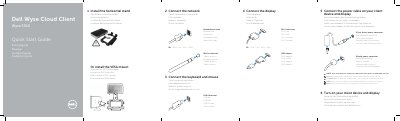
This document serves as a multilingual Quick Start Guide for the Dell Wyse 3010 Cloud Client. It provides step-by-step instructions for connecting essential peripherals including keyboards, mice, displays, and network cables. The guide also details the installation of optional components such as wireless antennas and mounting hardware (horizontal stand or VESA mount).
| Network port speed | 10/100/1000 Base-T |
|---|---|
| Power adapter input | +12V DC |
| USB ports | USB 2.0 port (2) |
| Video ports | 1x DVI-D/1x VGA |
| Document model | Tx0 |
The client device is ready to use when the client device activity light goes off.
No, components may vary based on the specific model and location.