
Dell Dimension Computer Setup Guide

The Dell computer setup manual describes how to connect a monitor, keyboard and mouse, and how to connect the computer and monitor to power outlets.
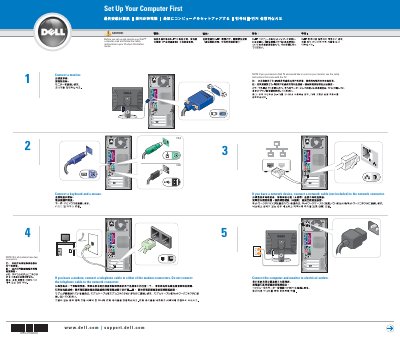

Dell Dimension Computer Setup Guide - cover page
Brand
DELL
Category
Desktops
Document type
User Manual
Language
English
Pages
2
File format
PDF
File size
1.8 MB
Published
20 November, 2023
Updated
20 November, 2023
MD5 checksum
9B17107D6EF34A124EDD90AF50D07961

About this manual

This document provides initial setup instructions for a Dell Dimension computer. It covers connecting essential peripherals such as monitors, keyboards, mice, and network cables, as well as optional devices like modems and speakers. Users are advised to consult the Product Information Guide for safety instructions before beginning.

What's inside

  • Connect a monitor
  • Connect a keyboard and a mouse
  • Connect electrical outlets
  • Connect a modem
  • Connect a network device
  • Connect speakers
  • Turn on the computer and monitor
  • Set Up Other Devices

Frequently asked questions

What should I do before setting up and operating the computer?

Read and follow the safety instructions in your Product Information Guide.

How should I connect a modem?

Connect a telephone cable to either of the modem connectors. Do not connect the telephone cable to the network connector.

Where should I connect speakers if the integrated sound connectors are covered by a cap?

Connect them to the optional sound-card connectors. Do not remove the cap.

How can I use a Dell TV as the monitor?

See the setup instructions that came with the TV.

Download PDF (1.8 MB)

More DELL Manuals


View all DELL manuals →