
Inspiron 12 5000 2-in-1 Laptop Quick Start Guide.
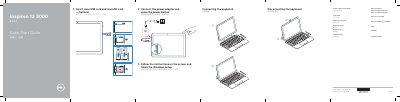
This two-page quick start guide covers inserting an optional nano SIM card and microSD card, connecting and disconnecting the keyboard, connecting the power adapter, and completing Windows setup. It also lists the device features and preinstalled Windows applications.
The guide includes regulatory, safety, battery, adapter, and China RoHS information, along with support and manual links for the Inspiron 12-5280. This manual is written in Chinese.
| Regulatory model | T03J |
|---|---|
| Computer model | Inspiron 12-5280 |
| USB port | USB 3.1 Gen 1 (Type-C) port/DisplayPort |
| USB port with Power Delivery | USB 3.1 Gen 1 (Type-C) port with Power Delivery/DisplayPort |
| Card slot | Nano SIM/MicroSD-card slot |
The Service Tag label is located beneath the kickstand.
The guide lists USB 3.1 Gen 1 (Type-C) ports, including one with Power Delivery/DisplayPort.
Dell lists product support and manuals at Dell.com/support and Dell.com/support/manuals.
The guide lists preinstalled applications such as Groove Music, McAfee Security, Microsoft Edge, and Microsoft Office 365.