
The Dell laptop quick start guide describes how to connect the power adapter, turn on the power, complete the operating system setup, enable security and updates, and connect to the network.
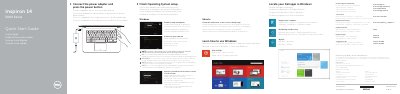
This document serves as a multilingual Quick Start Guide for Dell Inspiron 14-5458 and 14-5451 laptops. It provides initial setup instructions, including connecting the power adapter, finishing the operating system setup, and enabling security updates. The guide also details how to connect to a network and sign in to a Microsoft account.
| Input Voltage | 100 V CA–240 V CA |
|---|---|
| Input Frequency | 50 Hz–60 Hz |
| Input Current | 1,30 A/1,60 A/1,70 A |
| Output Voltage | 19,50 V DC |
| Output Current | 2,31 A/3,34 A |
The input voltage range is 100 V CA to 240 V CA.
Enter the password for the wireless network access when prompted.