
Dell EMC PowerEdge MX Server Enclosure Getting Started Guide

The Dell EMC PowerEdge MX Getting Started Guide describes the features and characteristics of the product.
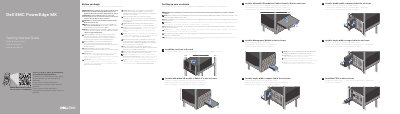

Dell EMC PowerEdge MX Server Enclosure Getting Started Guide - cover page
Brand
Dell EMC
Category
Servers Computer
Document type
Quick Start Guide
Language
English
Pages
2
File format
PDF
File size
463 KB
Published
19 November, 2023
Updated
19 November, 2023
MD5 checksum
A6B12CBB836AC08A863C530BDDA4DD6D

About this manual

This Dell EMC PowerEdge MX Getting Started Guide is a multilingual quick-start document for setting up the PowerEdge MX server enclosure. It covers safety warnings, enclosure installation in a rack, and initial module setup.

The guide includes instructions for installing half-width and full-width I/O modules, compute and storage sleds, management modules, and power supply units. It also notes that blanks must be installed in unused slots and that connectors should be covered when removing modules.

What's inside

  • Quick Resource Locator
  • Before you begin
  • Setting up your enclosure
  • Install the enclosure in the rack
  • Install a half-width I/O module to Fabric C in the enclosure
  • Install a full-width I/O module to Fabrics A and/or B in the enclosure
  • Install a double-width compute sled in the enclosure
  • Install a Management Module in the enclosure
  • Install a single-width storage sled in the enclosure
  • Install the PSUs in the enclosure

Frequently asked questions

Where is the documentation set for the system available?

It is available at Dell.com/poweredgemanuals.

What should be installed in all unused slots?

Blanks should be installed in all unused slots.

What should be covered when removing sleds and modules?

The I/O connectors should be covered.

What must be removed before installing the enclosure into the rack?

All installed sleds, I/O modules, and power supplies must be removed.

Download PDF (463 KB)

More Dell EMC Manuals


View all Dell EMC manuals →