
This document is a quick start guide for Dell computers. It provides instructions on how to set up and use a Dell computer.
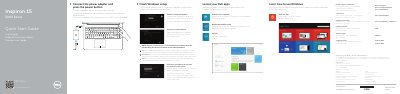
This Dell Quick Start Guide covers the Inspiron 5542 and Inspiron 5543 computers. It explains how to finish Windows setup, locate Dell apps, connect the power adapter, register the computer, and use Dell Backup and Recovery.
The guide also describes product features and ports, shortcut keys, and regulatory and safety information. Support is available at dell.com/support and dell.com/support/manuals.
| Computer model | Inspiron 5542, Inspiron 5543 |
|---|---|
| Country of origin | Made in China |
| USB 3.0 ports | 2 |
| USB 2.0 port | 1 |
| Input voltage | 100 V AC–240 V AC |
| Frequency | 50 Hz–60 Hz |
It covers the Inspiron 5542 and Inspiron 5543 computers.
Visit dell.com/support or dell.com/support/manuals for product support and manuals.
Enter the password for the wireless network access when prompted.