
This guide describes how to set up the keyboard and mouse, connect the power adapter, turn on the power, complete the operating system setup, enable security and updates, and connect to a network.
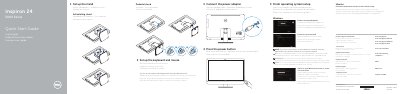
The quick start guide walks the user through connecting the keyboard and mouse, plugging in the power adapter, and completing operating system setup and account sign‑in.
It also lists the device’s features such as microphones, camera, media‑card reader, USB ports, and optional optical drive, and provides links to Dell support, regulatory information, and recovery tools. This manual is written in Dutch.
| Input voltage | 100 V CA–240 V CA |
|---|---|
| Frequency | 50 Hz–60 Hz |
| Input current consumption | 2,50 A |
| Output voltage | 19,50 V CC |
| Output current consumption | 4,62 A/6,70 A |
Connect the power adapter.
The output voltage is 19,50 V CC.
The input voltage range is 100 V CA–240 V CA.