
The Dell computer setup guide describes how to connect the monitor, keyboard and mouse, network, modem, and power cords.
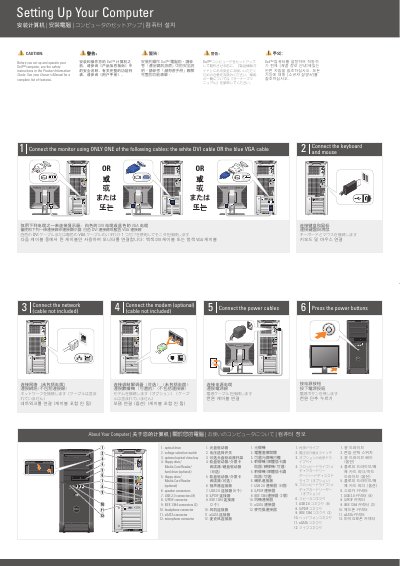
This document provides step-by-step instructions for setting up a Dell XPS 420 desktop computer. It covers connecting the monitor using either a DVI or VGA cable, attaching keyboard and mouse, connecting network and optional modem cables, plugging in power cables, and pressing the power buttons. A diagram labels the front and back panel connectors including optical drives, voltage selection switch, USB 2.0 ports, S/PDIF, IEEE 1394, headphone, eSATA, and microphone jacks.
An optional wireless network setup section describes the components needed: internet service, cable or DSL modem, wireless router, and desktop computers with network or USB wireless adapters. The guide directs users to the Owner's Manual for more details and to the Documentation and Support icon or support.dell.com for electronic documentation.
| Monitor connection | DVI or VGA (one only) |
|---|---|
| Front panel connectors | USB 2.0 (8), S/PDIF, IEEE 1394 (2), headphone, eSATA, microphone |
| Back panel features | Optical drive, voltage selection switch, optional optical drive bay, floppy drive/Media Card Reader/hard drive, speaker connectors |
Connect the monitor using only one cable: either the white DVI cable or the blue VGA cable.
Click the Documentation and Support icon on the desktop or go to support.dell.com.
Internet service, a cable or DSL modem, a wireless router, and desktop computers with either a network adapter or USB wireless adapter.