
This document describes the safe storage and handling of battery packs for HP notebook computers.
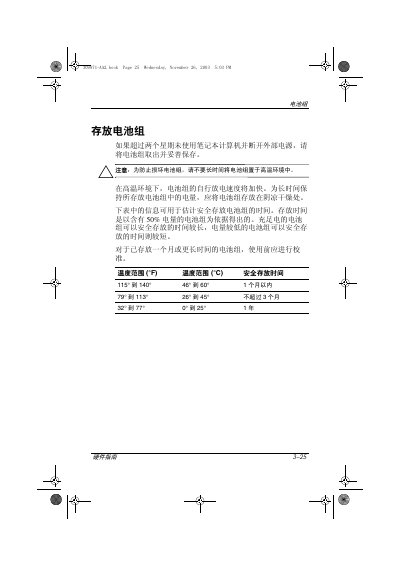
If a notebook computer is unused for more than two weeks with external power disconnected, remove the battery pack and store it properly. Do not leave the battery pack in a high-temperature environment for a long time, because heat speeds up self-discharge. Store the battery pack in a cool, dry place to retain charge.
Do not disassemble, crush, puncture, or short-circuit the battery pack, and do not expose it to temperatures above 60°C (140 °F), immerse it in water, or throw it into fire. Do not mix a spent battery pack with ordinary household trash. In Europe, use public recycling or return it to HP, an HP-authorized partner, or their agent; elsewhere, contact HP customer service for disposal information. This manual is written in Chinese.
| Safe storage time at 0° to 25°C | 1 year |
|---|---|
| Safe storage time at 26° to 45°C | Not more than 3 months |
| Safe storage time at 46° to 60°C | Within 1 month |
| Maximum temperature | 60°C (140 °F) |
It can be safely stored for 1 year.
Yes, it should be calibrated before use.
No, it should not be mixed with ordinary household trash.