
The SanDisk iXpand Flash Drive is the perfect companion for your iPhone or iPad, freeing up space on your iPhone or iPad, backing up your camera roll, and even letting you watch videos straight from the drive1.
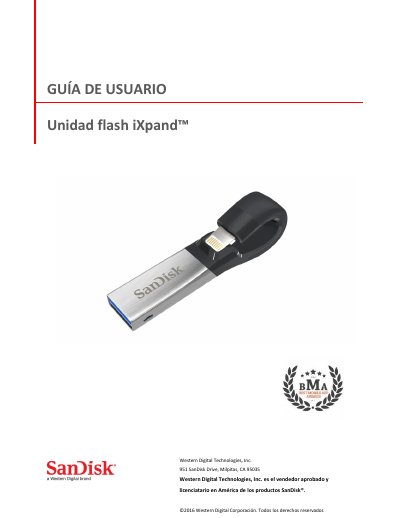
The SanDisk iXpand flash drive is designed to free up space on iPhone or iPad, back up the camera roll, and play videos directly from the drive. It has a flexible Lightning connector that works with most cases and a USB 3.0 connector for fast file transfers to a Mac or PC.
The guide covers connecting the drive, installing the iXpand Drive app, managing photos, videos and music, password protection, file backup and restore, device settings such as drive name and formatting, firmware updates, and troubleshooting. Stated specifications include Lightning and USB 3.0 interfaces, operating temperature of 0-35° C, dimensions of 13 X 17 X 59 mm, and read speeds up to 70 MB/s. This manual is written in Spanish.
| Interface | Lightning and USB 3.0 connectors (one at a time) |
|---|---|
| Operating temperature | 0-35° C |
| Dimensions | 13 X 17 X 59 mm |
| Read speed | up to 70 MB/s |
| Password protection encryption | AES 128-bit |
| exFAT support | 128 GB |
It works with iPhone 5 and later, iPad Air, iPad mini, iPad mini 4, iPad Pro, iPad with Retina display, iPod 5th generation and newer with a Lightning connector and iOS 8.2, plus Windows Vista, 7, 8, 10, Chrome OS, and Mac OS X v10.8 and up.
When a firmware update is available and the drive is connected to an iPhone or iPad, a message appears in the app; tap OK to update and do not disconnect the drive during the update.
The drive supports .WMV, .AVI, .MKV, .MP4, and .MOV; DRM-protected content cannot be streamed.
Read speeds of up to 70 MB/s are supported, and a USB 3.0 port is required.