
This document describes how to communicate via a DataLink card to a Data Highway Plus Network using a CTC P1 or P2.
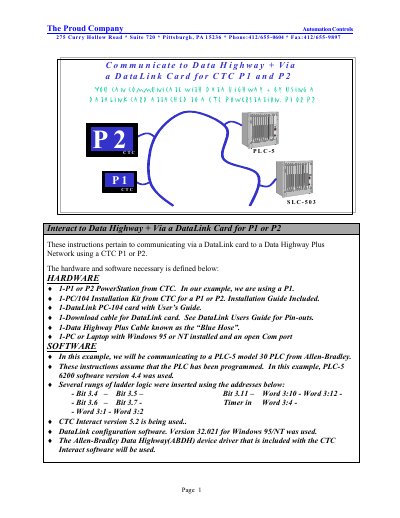
This guide, published by The Proud Company Automation Controls, explains how to communicate with an Allen-Bradley Data Highway Plus network from a CTC P1 or P2 PowerStation using a DataLink PC/104 card. It lists the required hardware (a P1 or P2 PowerStation, the PC/104 installation kit, the DataLink card, a download cable, the "Blue Hose" DH+ cable and a PC or laptop with Windows 95 or NT) and software (CTC Interact version 5.2, DataLink configuration software version 32.021 and the Allen-Bradley Data Highway driver). The example communicates with a PLC-5 model 30 PLC from Allen-Bradley.
The instructions are split into six parts: installing the hardware, configuring the DataLink card, creating an Interact application and loading modules and drivers, configuring the Allen-Bradley Data Highway driver, configuring the communication port within Interact, and building a screen and addressing the Panel Tools. The text notes the default DataLink settings of communication port COM4 (02E8) and IRQ 5, and a DH+ network speed of 57.6 left at its default value.
| Default communication port | COM4 (02E8) |
|---|---|
| Default IRQ | 5 |
| BUS interface selected | DL-PC/104 |
| Network protocol | A-B DH+ |
| DH+ network speed (example) | 57.6 |
| DataLink configuration software version | 32.021 for Windows 95/NT |
The DH+ cable (the "Blue Hose") is inserted into the 3-pin DH+ connector of the DataLink card, and the other end is connected to a data highway plus port.
DataLink cards ship with communication port COM4 (02E8) and IRQ 5 as the default settings, which Interact communicates with.
The Allen-Bradley Data Highway (ABDH) driver included with the CTC Interact software is loaded and used.
Station number 01 is used, and the DH+ network speed is left at the default value of 57.6.