
FMC-10/100 series Ethernet converters are used to connect 10/100Base-T and 100Base-FX. The series provides various connector types, including ST, SC and FC, and users can freely choose the connector type that suits them. The series also supports auto negotiation function, which can automatically select the connection mode according to actual needs. FMC-10/100 series Ethernet converters can be connected by fiber optic, achieving 10/100Mbps data transmission, and the transmission distance can reach 120 kilometers.
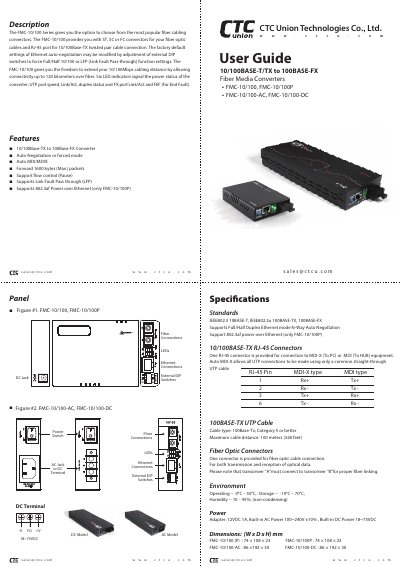
The FMC-10/100 series from CTC Union Technologies converts 10/100BASE‑TX Ethernet to 100BASE‑FX fiber, offering ST, SC or FC fiber connectors and an RJ‑45 port. It supports auto‑negotiation, auto‑MDI/MDIX, flow control, link‑fault‑pass‑through and optional PoE on the FMC‑10/100P model, with up to 120 km fiber reach.
This user manual describes the product features, technical specifications, LED indicator functions, DIP‑switch settings, installation steps, wiring examples, and safety warnings. It also includes an application note on the Link Fault Pass‑through function and regulatory compliance information.
| Supported standards | IEEE802.3 10BASE‑T, IEEE802.3u 100BASE‑TX, 100BASE‑FX |
|---|---|
| Ethernet mode | Full/Half Duplex |
| Auto‑negotiation | N‑Way Auto Negotiation |
| Power over Ethernet | 802.3af PoE (only FMC‑10/100P) |
| RJ‑45 connector | One RJ‑45 connector for UTP |
| Fiber connector type | ST, SC or FC |
| Maximum UTP cable distance | 100 m (Category 5 or better) |
| Maximum fiber distance | Up to 120 km |
| Power adapter | 12 VDC 1 A AC adapter (100‑240 V input) |
| Dimensions (FMC‑10/100) | 74 × 108 × 23 mm |
The FX link/Act LED lights on when the fiber link is OK; if it is off, the link is faulty or absent.
Set DIP switch 4 to the ON position to enable Link Fault Pass‑through.
It supports ST, SC or FC fiber optic connectors.
The maximum UTP cable length is 100 meters when using Category 5 or better cable.