
Fortinet Extender 201F Quick Start Guide
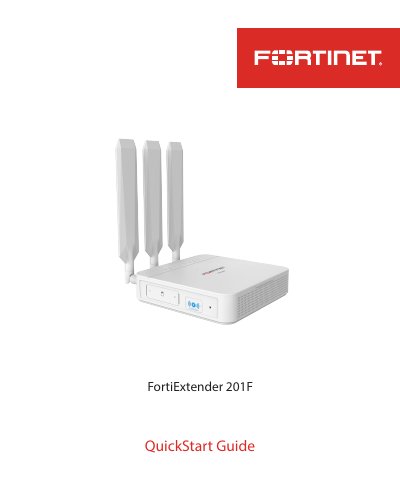
This QuickStart Guide describes the Fortinet FortiExtender 201F (FEX-201F), a wireless Internet WAN connection device with one 1-Gb/100-Mb WAN connection and four 1-Gb/100-Mb LAN connections. It uses an LTE CAT7 modem (300 Mbps downlink and 150 Mbps uplink) with the EM7411 module for North America or EM7421 for EU/APAC, and supports MicroSIM (3FF) cards, which are not included.
The guide walks through registering the product for support, checking the packing list, connecting the device to a FortiGate appliance via LAN 4/PoE, installing SIM cards, configuring IP settings through the web GUI at http://192.168.200.99, and mounting the unit on a desk or wall near a window for the best LTE signal. It also explains the ports, LEDs, and buttons, and lists cautions, warnings, and environmental specifications.
| WAN connection | One 1-Gb/100-Mb WAN connection |
|---|---|
| LAN connections | Four 1-Gb/100-Mb LAN connections |
| LTE module | LTE CAT7, 300 Mbps downlink / 150 Mbps uplink |
| Modem variants | EM7411 (North America), EM7421 (EU/APAC) |
| SIM card | MicroSIM (3FF), not included |
| PoE | IEEE 802.3af/at, Port 4 is PoE PD |
| Power input | 12VDC/2A (optional) or 54 VDC from PoE |
| Ambient operating temperature | 0°C to 40°C |
| Console baud rate | 115200 |
| Default web GUI address | http://192.168.200.99 |
Connect a computer to LAN port 1, 2, or 3, open a browser to http://192.168.200.99, and enter admin as both the username and password. On first login you will be prompted to change the default password.
It supports MicroSIM (3FF) cards only, which are not included and must be purchased separately. With two SIM cards, SIM1 is the primary socket and SIM2 the secondary.
Press and hold the Reset/Default button for less than 5 seconds to reboot the device, or hold it for more than 5 seconds to restore factory default settings.
It can be powered through PoE from a FortiGate appliance or power injector, or optionally with a 12VDC/2A power adapter with an ID 2.1 mm plug. The PoE source must comply with IEEE 802.3af/at.