
Key facts
- Manuals
- 12
- Models
- 2
- Languages
- EN · ZH
- Last added
- 2026-10-03
Fortinet models by category
Featured Fortinet manuals
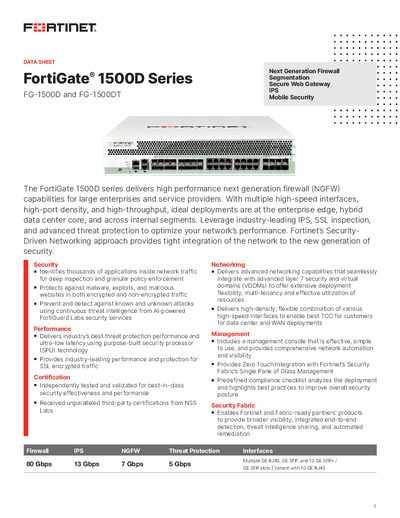
Fortinet FortiGate 1500D Series Data Sheet
The FortiGate 1500D series provides high‑performance next‑generation firewall (NGFW) capabilities for large enterprises and service providers. It offers multiple high‑speed interfaces, high‑port density, and advanced threat protection powered by Fortinet’s custom SPU processors.
The datasheet lists hardware configurations, system performance metrics such as firewall and IPS throughput, and optional accessories. It also describes the Fortinet Security Fabric integration, power specifications, dimensions, and ordering information for the FG‑1500D and FG‑1500DT models.
Covers: Deployment · Hardware · Fortinet Security Fabric · Specifications · Bundles and Ordering Information
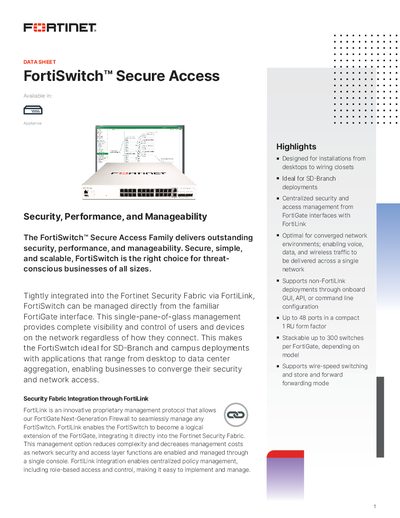
Fortinet FortiSwitch Secure Access Family Datasheet
The FortiSwitch Secure Access Family provides security‑focused Ethernet switching for deployments ranging from desktop closets to data‑center aggregation. Integrated with FortiGate via the proprietary FortiLink protocol, the switches can be managed centrally through the FortiGate interface or via a standalone GUI, API or CLI.
The series includes entry‑level, mid‑range, premium and aggregation models (e.g., FS‑108E‑POE, FS‑124E‑POE, FS‑148E‑POE) offering up to 48 ports, PoE/PoE+ options, 1 RU rack‑mount form factor, and advanced Layer 2/3 features such as VLANs, link aggregation, routing protocols and high‑availability support.
Covers: Highlights · Deployment Overview · Product Offerings · Features · Specifications · FortiLink Management
Fortinet FortiGate-60/60M/ADSL, FortiWiFi-60, FortiGate-100A V3.0 MR1 Installation Guide
This manual provides step‑by‑step instructions for installing and configuring Fortinet FortiGate‑60 series, FortiWiFi‑60 and FortiGate‑100A V3.0 MR1 devices. It covers hardware installation, initial power‑up, default configuration, and network integration using both the web‑based manager and CLI.
The guide also details advanced tasks such as modem and ADSL interface setup, wireless network configuration, firmware upgrade procedures, USB auto‑install, and backup firmware image handling. Safety warnings and hardware specifications are included throughout. This manual is written in Chinese.
Covers: Introduction · FortiGate Device Overview · Installation of FortiGate Devices · Default Settings · Network Configuration · Modem Interface Configuration
FORTINET V3.0 FortGate-3000/FortiGate-3600 equipment Installation Guide
This guide provides step‑by‑step installation instructions for the FortiGate‑3000 and FortiGate‑3600 devices, covering hardware setup, initial boot, and basic configuration. It includes version V3.0 details and reference numbers for the documentation.
The document also contains CLI command examples for enabling features, configuring TFTP firmware transfers, and performing system reboots. Sample commands such as "set ips-open enable" and "execute reboot" are provided to help administrators quickly bring the devices online.
Covers: Installation Overview · CLI Configuration · Boot Image Management · TFTP Firmware Transfer · Reboot Procedure · System Status Commands
Latest Fortinet manuals
Fortinet FortiGate 1500D Series Data Sheet
Datasheet 6 pages · 2.7 MB · ENData sheet for the FortiGate 1500D and 1500DT next‑generation firewalls, detailing performance, hardware specs and security features.
Fortinet FortiSwitch Secure Access Family Datasheet
Datasheet 22 pages · 7.2 MB · ENA datasheet describing the FortiSwitch Secure Access Family of network switches, their features, specifications and FortiLink integration.
FORTINET FortiGate equipment FortiOS v3.0 MR4 HA User Manual
Fortinet FortiGate-60/60M/ADSL, FortiWiFi-60, FortiGate-100A V3.0 MR1 Installation Guide
Installation Guide 77 pages · 1.6 MB · ZHInstallation guide for Fortinet FortiGate-60/60M/ADSL, FortiWiFi-60 and FortiGate-100A V3.0 MR1 devices covering setup, default settings and firmware upgrades.
FORTINET FortiGate-200 FortiGate-300 FortiGate-400 FortiGate-500 FortiGate-1000 V3.0 MR1 equipment Installation Guide
FORTINET V3.0 MR3 FortiGate-3600A equipment Installation Guide
FORTINET V3.0 FortGate-3000/FortiGate-3600 equipment Installation Guide
Installation Guide 55 pages · 1005 KB · ENInstallation guide for Fortinet FortiGate-3000 and FortiGate-3600 security appliances.
FORTINET FortiGate-200A FortiGate-300A FortiGate-400A FortiGate-500A V3.0 MR1 equipment Installation Guide
Fortinet FortiGate NIDS User Manual
User Manual 48 pages · 913 KB · ENThe Fortinet FortiGate NIDS User Manual provides configuration and operation guidance for the FortiGate Network Intrusion Detection System.
Fortinet FortiGate VPN User Manual
User Manual 164 pages · 2.4 MB · ENThis Fortinet FortiGate VPN User Manual provides configuration and usage instructions for FortiGate VPN features.
Fortinet FortiGate Service Manual
Service Manual 29 pages · 1.2 MB · ZHTechnical service manual for FortiGate firewall series covering models 50A through 5000.
Fortinet FortiOS Upgrade Manual
User Manual 90 pages · 1.5 MB · ZHThis manual provides upgrade instructions and configuration guidance for FortiOS on Fortinet devices.
Which document do I need?
Datasheet
Ratings, dimensions and ordering codes, for selection and design work.
Installation Guide
Mounting, wiring and first power-up. Read it before the hardware goes in.
User Manual
Day-to-day operation, settings and troubleshooting. Start here if the product is already set up.
Service Manual
Disassembly, diagnostics and part numbers, for repair.
Questions answered in Fortinet manuals
What is the maximum number of concurrent SSL‑VPN users?
The recommended maximum is 10,000 concurrent SSL‑VPN users in tunnel mode.
How many 10 GE SFP+ slots does the FortiGate 1500D have?
The FortiGate 1500D provides eight 10 GE SFP+ / GE SFP slots.
How do I start a FortiGate device?
Connect the AC adapter to the device’s power port, plug the adapter into a power outlet, then the device powers on and the LED status lights illuminate.
From: Fortinet FortiGate-60/60M/ADSL, FortiWiFi-60, FortiGate-100A V3.0 MR1 Installation Guide
How can I upgrade the firmware using TFTP?
Connect a RJ‑45‑to‑DB‑9 console cable, set up a TFTP server on the same subnet, copy the firmware image to the server’s root folder, then use the CLI command `execute reboot` and follow the prompts to load the image from the TFTP server.
From: Fortinet FortiGate-60/60M/ADSL, FortiWiFi-60, FortiGate-100A V3.0 MR1 Installation Guide
How do I reboot a FortiGate device?
Enter the command "execute reboot" at the CLI to restart the device.
From: FORTINET V3.0 FortGate-3000/FortiGate-3600 equipment Installation Guide
How can I set the TFTP server address for firmware transfer?
When prompted, type the address, for example "Enter TFTP Server Address: [192.168.1.168]".
From: FORTINET V3.0 FortGate-3000/FortiGate-3600 equipment Installation Guide