
This document describes the features and functions of the D-680 DVD player.
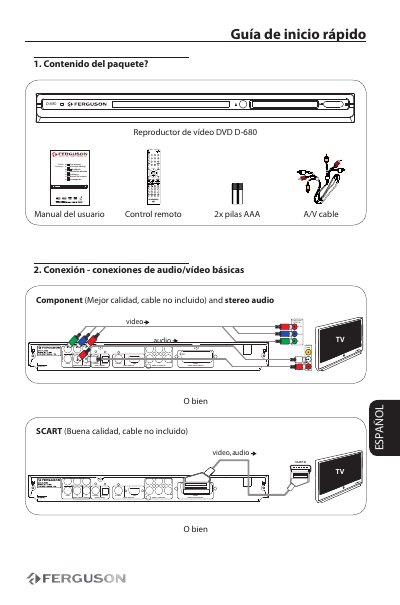
This user manual for the D-680 DVD player lists the supplied accessories, including the remote control, two AAA batteries, and an A/V cable. It explains how to connect the player to a television using CVBS, component, or SCART connections, and how to connect the power cable or an optional stereo or AV receiver.
The manual also describes the front and rear panels and remote control, basic disc playback for DVD, VCD, SVCD, XviD, and JPEG discs, on-screen display language selection, setup menus, software updates, and troubleshooting. This manual is written in Spanish.
The package includes the D-680 DVD player, a remote control, two AAA batteries, and an A/V cable.
Wipe the disc with a soft cloth from the center to the edge in a straight line, and do not use solvents or cleaning CDs.
Press the VIDEO key repeatedly.