
PIONEER CD7416UB-OR CD RECEIVER/USB MP3/WMA/BLUETOOTH ® 12V OWNER’S MANUAL
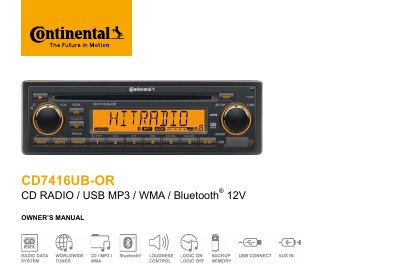
This owner's manual covers the CD7416UB-OR, a 12-volt negative-ground car CD receiver that also plays MP3 and WMA files from discs and USB flash memory and supports Bluetooth operation. It begins with safety precautions, including fuse replacement, laser safety and CD handling notes, and states that the unit can also play CD-R and CD-RW discs.
The manual then describes the panel controls and operating steps for disc loading and ejection, radio band selection, source switching, auto memory store, track search, EQ and sound settings, clock setting and the system setup menu. Further sections explain USB MP3/WMA file requirements, Bluetooth operations, electrical connections, troubleshooting and specifications.
| Electrical system | 12-volt DC negative-ground |
|---|---|
| Disc compatibility | CD, CD-R, CD-RW, MP3 (no 8 cm discs) |
| USB formats | FAT 12/FAT 16/FAT 32 |
| USB power output | 500 mA maximum |
| USB version | USB 1.1 and 2.0 supported |
| MP3 directory limit | 8 levels, 256 files/folders per disc |
| ID3 tag support | ID3 TAG version 1.x required; ver 2.0 tags 32 byte |
| Recommended MP3 encoding | 44.1 kHz sampling, 128 kbps fixed bit rate |
No, the unit cannot play 3-inch (8 cm) CDs, and inserting one in an adapter or an irregularly shaped disc may cause a malfunction.
Use a fuse with an identical amperage rating; a higher rating may cause serious damage to the unit.
Long press the [DISP] button, select [CLOCK] with the search buttons, then rotate the [TUNE] knob to adjust the hours and minutes.
The USB connector supports a maximum working power of 500 mA, and not all USB devices are compatible with the unit.