
The Panasonic KX-T7703/KX-T770S is a telephone with the following features: 1. Adjustable ringer volume 2. Adjustable receiver volume 3. Hands-free function 4. Caller ID 5. Redial function 6. Flash function
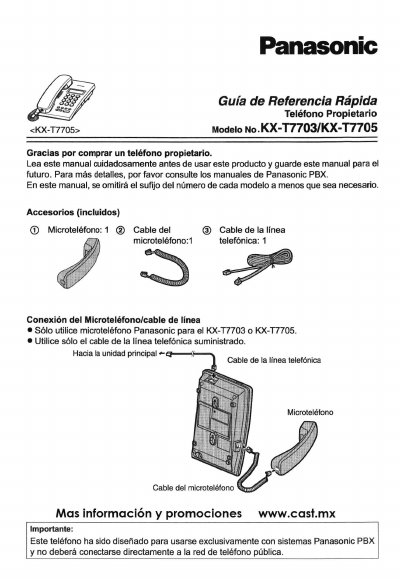
This Spanish quick reference guide covers the Panasonic KX-T7703 and KX-T7705 proprietary telephones. It lists the included handset, handset cable, and telephone line cable, and shows how to connect the handset and line cord. The guide states that the telephone is intended for use only with Panasonic PBX systems and should not be connected directly to the public telephone network.
The document describes the controls for both models, including the display, dialing keys, CALLER ID, MENU, MUTE, CLEAR, FLASH, EXIT, REDIAL, and RINGER selector; the KX-T7705 also has SP-PHONE and speaker volume keys. It then explains settings such as ringer volume, date/time, and dialing mode, and gives key sequences for making calls, redialing, speed dialing, holding calls, transferring calls, Do Not Disturb, and scheduled reminders. This manual is written in Spanish.
| Intended connection | Panasonic PBX systems only; not direct public telephone network |
|---|---|
| Default ringer volume | HIGH |
| Handset volume | Fixed |
Use the RINGER selector to choose HIGH, LOW, or OFF. The default setting is HIGH.
Press [—] or [++] repeatedly during the call.
Open MENU, select F3, then press [2] to select PULSE.