
The S-Series Campus Core Switches are the next generation of open networking switches for enterprise, mid-market and Tier2 cloud service providers with demanding compute and storage traffic environments.
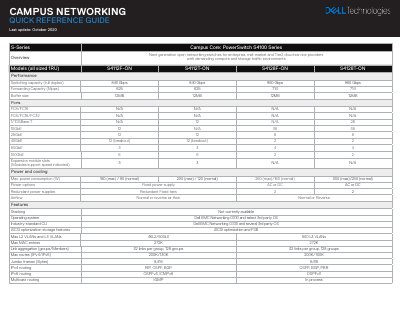
Published by Dell Inc. in October 2020, this quick reference guide compares Dell EMC campus networking switches, beginning with the S-Series campus core PowerSwitch S4100 Series and the PowerSwitch S5200 Series (10/25/40/50/100GbE). Each model is listed with its switching and forwarding capacity, buffer size, port counts by speed, maximum power consumption, power options, fan and airflow details.
The guide continues with the PowerSwitch N3200, N3000, N2200, N1500 and N1100 Series for access and distribution, covering Layer 2 and Layer 3 capabilities, VLAN support, MAC entries, link aggregation, IPv4/IPv6 routing and multicast protocols, stacking support, and management and security features such as RADIUS, TACACS+ and SNMP.
| Operating system | Dell EMC Networking OS10 and select 3rd party OS |
|---|---|
| Stacking (S4100 and S5200 Series) | Not currently available |
| Max MAC entries (S4100 Series) | 272K |
| Jumbo frames | 9,416 bytes |
| Max routes, IPv4/IPv6 (S4100 Series) | 200K/130K |
| Airflow (S4100 Series) | Normal or reverse air flow |
| Max VLANs (S5200 Series) | 4K per port |
| PoE ports (N3208PX-ON) | 8x 802.3bt Type-4 (90W) PoE |
The S-Series and N3200 Series are listed with Dell EMC Networking OS10 and select third party OS.
No, stacking is listed as not currently available for the S4100 and S5200 Series.
Jumbo frames of 9,416 bytes are listed for the S4100 Series.
It has 8x 802.3bt Type-4 (90W) PoE ports.