
C580 C585 digital cordless phone user manual, introduces the use of the telephone, including installation, charging, registration, calls, address book, settings, etc.
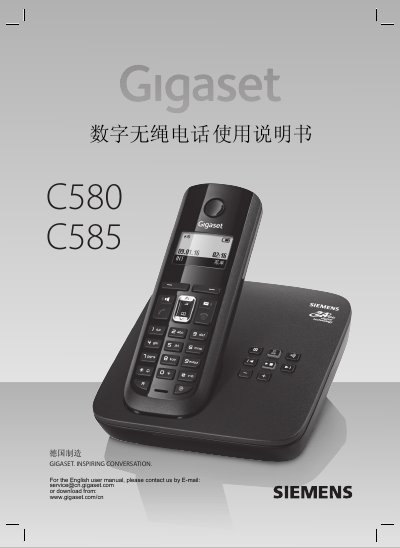
This manual provides instructions for the Gigaset C580 and C585 digital cordless phones. It covers safety precautions, base and handset installation, battery charging, handset registration, basic call handling, phonebook and call lists, multi-handset features such as internal calls and conference, and the integrated answering machine on the C585 model. Detailed menu navigation and configuration options for both handset and base are included.
The document also lists technical specifications including DECT (WDCT) wireless standard, 2.4 GHz frequency band, 80 duplex channels, GFSK modulation, maximum transmit power of 25 mW per channel, and operating ranges of up to 300 m outdoors and 50 m indoors. Power requirements, environmental conditions, and dialing modes are specified. An appendix provides the full menu tree and character table. This manual is written in Chinese.
| Wireless communication standard | WDCT |
|---|---|
| Number of channels | 80 duplex channels |
| Frequency range | 2400~2483.5 MHz |
| Duplex method | Time division multiplexing, frame length 10 ms |
| Bit rate | 576 kbit/s |
| Modulation | GFSK |
| Transmit power | Max 25 mW per channel average |
| Range | Outdoor up to 300 m, indoor up to 50 m |
| Base power supply | 230V~50Hz |
| Operating temperature | +5°C to +45°C |
| Humidity | 20%~75% |
| Dialing mode | DTMF audio / DP pulse |
Place the handset on the base for automatic registration (up to 5 minutes), or use manual registration via the handset menu and press the base registration key within 60 seconds.
The phone operates up to 300 meters outdoors and 50 meters indoors.
Press the menu key, select Settings > Date/Time, enter the date as 8 digits (year, month, day) and time as 4 digits (hour, minute), then confirm.
Only use the recommended AAA rechargeable batteries; non-rechargeable or other battery types may cause injury or damage.