
Gigaset AL140/AL145 is a wireless telephone device with various features including phonebook, alarm clock, and messaging functions.
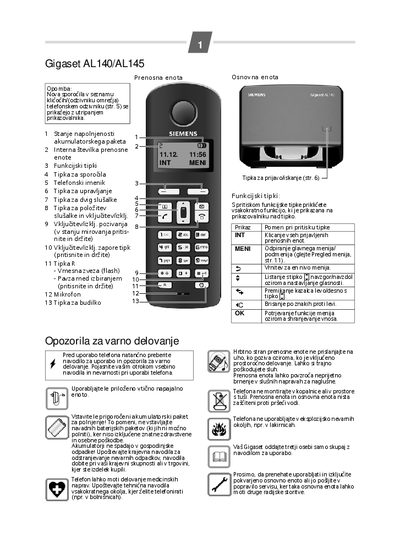
This manual explains how to install the base unit, connect the power supply, and register up to four portable handsets. It includes safety warnings, battery‑charging procedures, and steps for configuring language, alarm clock and other settings.
Detailed instructions cover using the phonebook, handling incoming and outgoing calls, managing call lists, and operating the built‑in answering machine. Reset and factory‑default procedures are also described.
| Battery charging time | approximately 7 hours |
|---|---|
| Maximum phonebook entries | 40 numbers |
Charging the battery takes about 7 hours.
The phonebook can hold up to 40 telephone numbers.
Select Settings → Portable unit → Reset in the menu to restore factory defaults.