
This Quick Start Guide provides information about the contents of the AS4610 series switch package, and how to install and use the switch
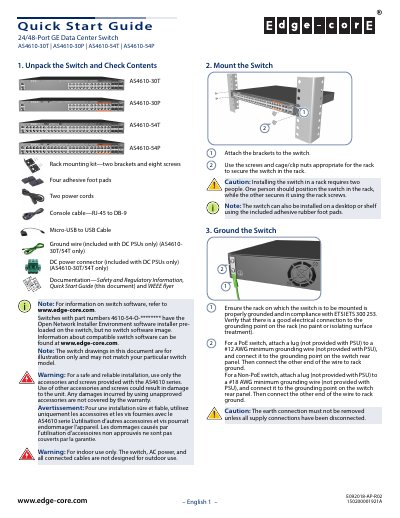
This quick start guide for the Edge-Core AS4610-30T, AS4610-30P, AS4610-54T, and AS4610-54P 24/48-port GE data center switches covers unpacking and checking the contents, mounting the switch in a rack or on a desktop, grounding, connecting AC or DC power, verifying operation by checking the system LEDs, initial configuration with ONIE, and connecting network cables. It also lists the supported SFP+/QSFP+ transceivers and PoE/UPoE port limits for the PoE models.
The guide includes hardware specifications such as chassis dimensions, weight by model, operating and storage temperature, humidity, PSU input and power ratings, and regulatory compliances. It warns that the switch is for indoor use only and that only the accessories and screws provided with the AS4610 series should be used.
| Chassis Size (W x D x H) | 440 x 350 x 44 mm (17.32 x 13.78 x 1.77 inches) |
|---|---|
| Weight (AS4610-30T) | 5.16 kg (11.37 lb) |
| Weight (AS4610-30P) | 6.02 kg (13.27 lb) |
| Weight (AS4610-54T) | 5.38 kg (11.86 lb) |
| Weight (AS4610-54P) | 6.36 kg (14.02 lb) |
| Operating Temperature | 0° C to 45° C (32° F to 113° F) |
| Storage Temperature | -40° C to 70° C (-40° F to 158° F) |
| Operating Humidity | 5% to 95% (non-condensing) |
| AC Input (150 W PSU, AS4610-30T/54T) | 100-240 VAC, 50-60 Hz, 3-1.5 A |
| Power Rating (150 W AC PSU) | 150 W maximum |
| DC Input (150 W 48 VDC PSU, AS4610-30T/54T) | -36 – -72 VDC, 6–3 A |
| PoE (AS4610-30P ports 1-16) | Up to 30 W |
| UPoE (AS4610-30P ports 17-24) | Up to 60 W |
| PoE (AS4610-54P ports 1-40) | Up to 30 W |
| UPoE (AS4610-54P ports 41-48) | Up to 60 W |
The package includes a rack mounting kit with two brackets and eight screws, four adhesive foot pads, two power cords, an RJ-45 to DB-9 console cable, a Micro-USB to USB cable, a ground wire and DC power connector for DC PSU models, and documentation.
When operating normally, the PSU1/PSU2 and System LEDs should all be on green.
No. The switch is for indoor use only; the switch, AC power, and all connected cables are not designed for outdoor use.
Use 100-ohm Category 5, 5e, or better twisted-pair cable.