
The high-performance thermal imaging camera is a handheld imaging camera that is used for predictive maintenance, equipment troubleshooting and verification. The thermal images are displayed on the LCD and can be stored in the internal storage. It features Bluetooth instant sharing to transfer the thermal images to smartphones for analysis, sharing and quick reporting.
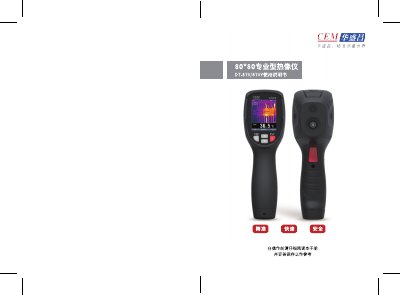
This Chinese user manual describes a handheld high performance thermal imaging camera used for predictive maintenance, equipment troubleshooting and verification. Thermal images are shown on a TFT LCD, can be saved to internal memory, and can be sent to a smartphone over Bluetooth for analysis, sharing and quick reporting. The manual covers the main features, safety notes, a quick reference guide, front/rear/top views of the camera, and the display icons.
The operation chapters explain switching the camera on and off, charging the rechargeable battery over USB, locking and unlocking the on-site temperature range, taking and saving images, Bluetooth instant sharing with the ThermView+ app for Android and iOS, and browsing or deleting pictures. Later chapters describe the settings menu (palette, temperature unit, measurement, emissivity, language, system settings, Bluetooth, time/date, memory, system information, factory reset), image browsing, and the lens field of view and distance-to-spot ratio. This manual is written in Chinese.
| Thermal image resolution | 80x80 |
|---|---|
| Real temperature measurement points | 6400 |
| Image frame rate | 50 Hz |
| Display | Large, easy-to-read graphical TFT display |
| Battery operating time | 10 hours at full speed with rechargeable battery |
| Internal image storage | Up to 20 thermal images |
| Number of palettes | 5 |
| Horizontal and vertical field of view | 21° horizontal, 21° vertical |
| Spatial resolution | 4.53 mrad |
| Theoretical D:S ratio | 220:1 |
Press and hold the power key for more than 2 seconds; the start-up screen appears and the camera then enters image mode. Holding the same key for more than 2 seconds switches it off.
The internal memory can hold 20 thermal images, which can be transferred to a smartphone or tablet over Bluetooth.
The Android or iOS application "ThermView+" must be downloaded and connected to the camera to use Bluetooth instant sharing.
The rechargeable battery runs for 10 hours at full speed. Charging is done through the USB port on the top of the camera.