
The manual introduces the operation of CMW500, including power on, connecting devices, connecting LTE DUT, measuring LTE Tx and LTE Rx
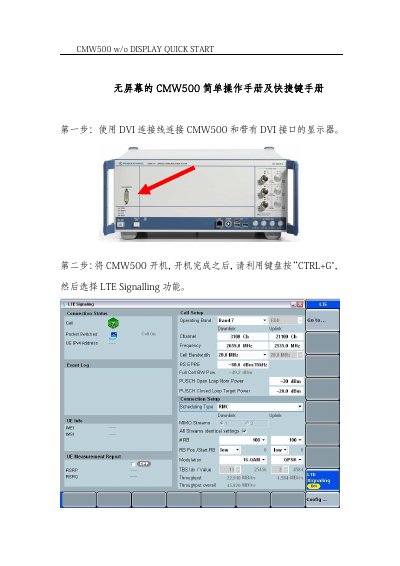
The CMW500 w/o Display Quick Start Guide describes how the instrument is operated when no display is fitted, using key combinations instead of on-screen menus. The steps show how to select LTE Signaling in the Channel tab, confirm with CTRL Enter, and check that the connection state reads Established.
Later steps cover opening LTE Multi Eval to reach the TX measurement and RX measurement, Throughput testing with RMC in User define mode, and MIMO O-L spatial multiplexing. The final page is a table of key dialogs and their shortcuts, for example Ctrl + R for RESET, Ctrl + M for the Measurement Controller and Ctrl + G for the Generator/Signaling Controller. This manual is written in Chinese.
The RESET dialog is opened with Ctrl + R.
Use Ctrl + Enter or Ctrl + Return to switch the generator or signaling generator on or off.
The Measurement Controller is opened with Ctrl + M.