
provide LCS/EHM ATOM function introduction, including function introduction, use methods, access permission, etc.
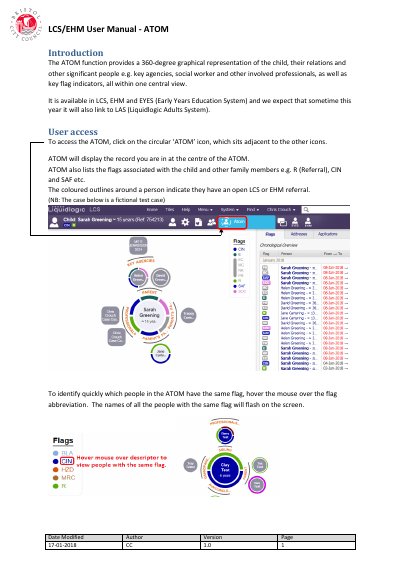
The ATOM function provides a 360-degree graphical representation of a child, their relations, and significant people such as key agencies and social workers. It is available in the LCS, EHM, and EYES systems and is expected to link to the LAS system in the future. Users access the ATOM via a circular icon, which displays the current record at the center along with associated flags like R (Referral), CIN, and SAF.
It provides a 360-degree graphical representation of the child, their relations and other significant people, as well as key flag indicators, all within one central view.
It is available in LCS, EHM and EYES (Early Years Education System), and it is expected to also link to LAS (Liquidlogic Adults System) sometime this year.
Click on the circular 'ATOM' icon, which sits adjacent to the other icons.
They indicate that the person has an open LCS or EHM referral.