
A brief guide that introduces the main features and basic operations of Microsoft Word 2016 for Mac.
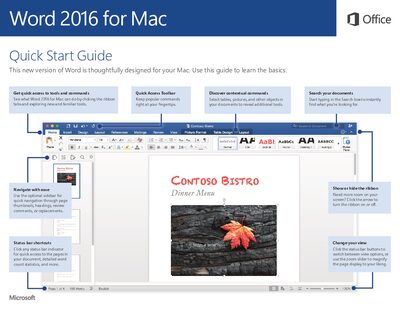
This Quick Start Guide walks you through the most commonly used tools in Word 2016 for Mac, such as the Quick Access Toolbar, ribbon tabs, status bar shortcuts, and the optional navigation sidebar. It shows how to locate recent files, sign in to cloud services, and customize preferences to suit your workflow.
The guide also explains contextual commands that appear when you select tables or pictures, how to apply and manage styles, and how to use the Review tab for spelling, word count, and collaboration features. At the end, you’ll find links to other Quick Start Guides, feedback options, help resources, and sharing tools.