
This document is a user guide for Anybus ® Communicateur ™ IIoT. It introduces the features and characteristics of the product.
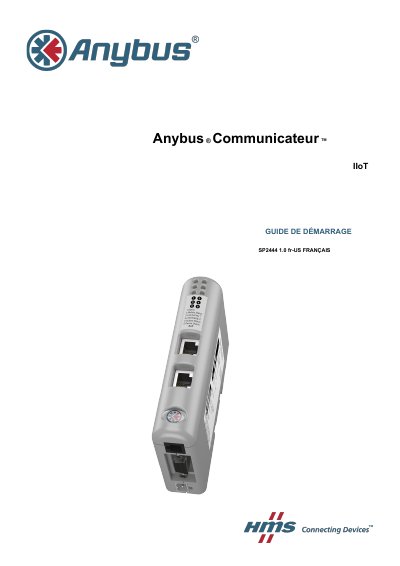
The Anybus Communicator IIoT, order code AB7079-B, is a DIN-rail gateway from HMS Industrial Networks AB that connects a serial subnetwork to an IIoT network. This French-language quick start guide (SP2444 1.0) explains how to install it and how to check that the gateway and its serial and IT networks are working.
The guide covers the prerequisites and basic installation steps, mounting on and removing from a DIN rail, the connectors and indicators, the serial subnetwork interface pinout, the power, PC and Ethernet connectors, the LED indicators and the technical data for the general, serial and IIoT interfaces. Configuration is done with Anybus Configuration Manager - Communicator, IPconfig for the TCP/IP settings, Anybus Configuration Manager - IIoT for the point configuration, and the built-in web interface for MQTT/OPC UA communication. This manual is written in French.
| Model name | Anybus Communicator IIoT |
|---|---|
| Ordering code | AB7079-B |
| Dimensions (L x W x H) | 120 x 75 x 27 mm |
| Weight | 150 g |
| Operating temperature | 0 to +55 °C |
| Storage temperature | -40 to +85 °C |
| Humidity range | 5 to 95% relative humidity, non-condensing |
| Power source | Regulated 24 V ±10% DC |
| Current consumption | Typical 100 mA @ 24 VDC, maximum 200 mA @ 24 VDC |
| Mechanical rating | IP20, NEMA 1 |
| Mounting | DIN rail (EN 50022) |
| Serial application interface | Selectable RS-232, RS-422, RS-485 |
| Maximum number of stations | 31 nodes via RS-422 or RS-485 |
| Ethernet | 100 Mbit/s, full duplex (fixed), dual-port switch with RJ45 connectors |
| MQTT data points | Maximum 256 data points |
| OPC UA data points | Maximum 80 data points (max. 2 clients with up to 40 tags each) |
Hook the unit onto the upper lip of the rail, push it gently downwards and then push it toward the rail until it snaps into place. To remove it, push the unit gently down on the rail, pull the lower end out and lift it off.
It needs a regulated 24 V ±10% DC supply, connected to the 2-pin power connector (+24 VDC and power ground).
Up to 31 nodes via RS-422 or RS-485.
Anybus Configuration Manager - Communicator, IPconfig for the TCP/IP settings and Anybus Configuration Manager - IIoT, all available from www.anybus.com/support.