
Key facts
- Manuals
- 2
- Languages
- EN · ZH
- Last added
- 2026-09-30
Featured Anybus manuals
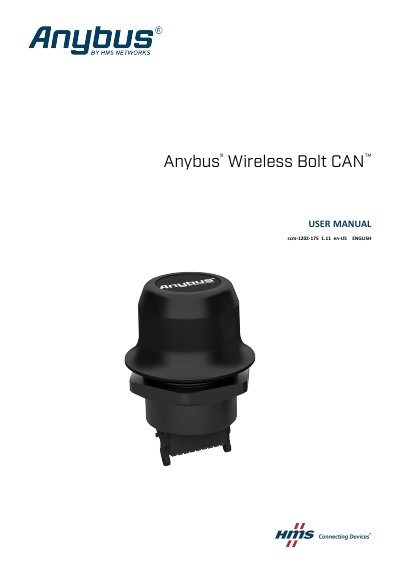
Anybus Wireless BoltCAN scm-1202-175 User Manual
This manual describes how to install, configure and safely operate the Anybus Wireless BoltCAN (model scm-1202-175). It includes safety instructions, mechanical mounting details, connector pinout, cabling guidelines, and configuration methods via web interface, AT‑commands or Easy Config modes.
Technical data such as order codes, dimensions, power requirements, environmental ratings and wireless performance are listed, along with antenna pattern diagrams and vibration/shock test results. The document also points to online resources for additional support.
Covers: Preface · Safety · Preparation · Installation · Configuration · Technical Data
Anybus Communicator Experiment Guide
This guide provides a series of laboratory experiments that demonstrate how to configure and operate the Anybus Communicator series. It covers reading Modbus slave data, using the ABC Config Tool, and working with PDP‑SIM and ModSim simulation software.
Each experiment includes objectives, required hardware, and detailed configuration steps, including how to set up Master Mode, adjust register byte order, and download settings to the gateway. The guide also explains how to use the Modbus wizard for quick configuration. This manual is written in Chinese.
Covers: 实验1 将Modbus从站设备数据读入ABC · 实验2 使用ABC Config Tool的调试功能 · 实验3 用PDP‑SIM读取ABC‑PDP数据 · 实验4 用PDP‑SIM读写ABC‑PDP数据 · 实验5 其它通讯参数的设置 · 实验6 读取非Modbus主从协议的数据
Latest Anybus manuals
Anybus Wireless BoltCAN scm-1202-175 User Manual
User Manual 48 pages · 3.1 MB · ENThe Anybus Wireless BoltCAN scm-1202-175 user manual provides installation, configuration, safety and technical specifications for the device.
Anybus Communicator Experiment Guide
User Manual 22 pages · 620 KB · ZHA step‑by‑step experiment guide for using the Anybus Communicator with Profibus‑DP and Modbus devices.
Which document do I need?
User Manual
Day-to-day operation, settings and troubleshooting. Start here if the product is already set up.
Questions answered in Anybus manuals
What torque should be used when mounting the device?
The recommended tightening torque is 5 Nm ± 10 %.
How many slave devices can be connected in Access Point mode?
Up to seven slaves can be connected when the device is used as an Access Point.
How can I correct the byte order of Modbus register data?
In the “Register Value” property set “Byte swap” to “Swap 2 bytes”, then re‑download the configuration.