
Microsoft Skype for Business Lync 2013 Quick Start Guide

Skype for Business is an instant messaging product from Microsoft that provides a simple and efficient way to communicate and collaborate.
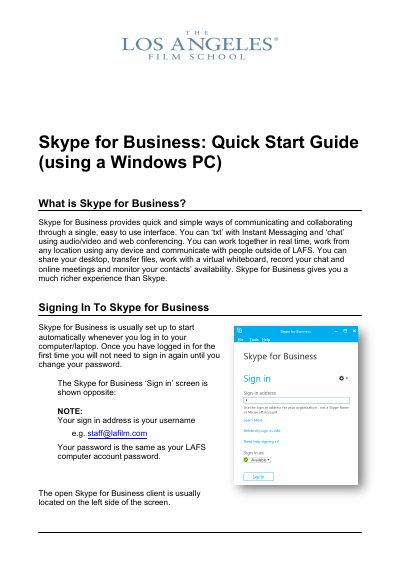

Microsoft Skype for Business Lync 2013 Quick Start Guide - cover page
Brand
Microsoft
Category
Other software
Document type
Quick Start Guide
Language
English
Pages
8
File format
PDF
File size
638 KB
Published
27 October, 2023
Updated
27 October, 2023
MD5 checksum
05211E4E0B99F1C98DBA3111C0D9452C

About this manual

This guide explains how to use Skype for Business on a Windows PC, including signing in with your username and password. It details the client interface, such as the contacts list, conversations pane, and meeting options. Users can manage their presence status, add contacts, and organize them into groups or favorites.

What's inside

  • Signing In
  • Client Tour
  • Contacting People
  • Instant Messaging
  • Audio/Video Calling
  • Scheduling Meetings
  • Setting Status
  • Options and Settings
  • Tablet/Mobile Access
  • Mac Users

Frequently asked questions

What is the sign-in address for Skype for Business?

Your sign-in address is your username, for example, [email protected].

Is the password for Skype for Business the same as the computer account password?

Yes, the password is the same as your LAFS computer account password.

How many participants can join a meeting?

You can have up to 250 participants in a meeting.

What client is used for Skype for Business on Mac?

The client for Mac users is Lync 2011.

Download PDF (638 KB)

More Microsoft Manuals


View all Microsoft manuals →