
Microsoft Bookings Quick Reference Guide

This is a quick reference guide on how to use Microsoft Bookings
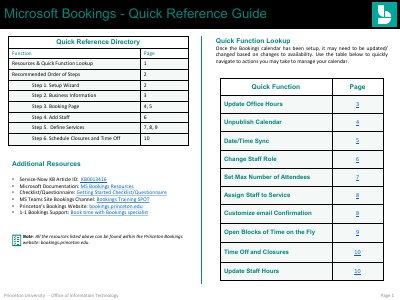

Microsoft Bookings Quick Reference Guide - cover page
Brand
Microsoft
Category
Other software
Document type
User Manual
Language
English
Pages
10
File format
PDF
File size
1.1 MB
Published
27 October, 2023
Updated
27 October, 2023
MD5 checksum
70D73B1E1EC09934899819869E87BFA6

About this manual

This document serves as a quick reference guide for using Microsoft Bookings within the Princeton University Office of Information Technology environment. It provides step-by-step instructions for creating a new calendar, entering business information, customizing the booking page, adding staff, and defining services. The guide is designed to help users manage availability and appointments efficiently.

What's inside

  • Recommended Order of Steps
  • Setup Wizard
  • Business Information
  • Customize Booking Page
  • Add Staff
  • Define Services
  • Schedule Closures and Time Off
  • Staff Roles and Permissions
  • Default Scheduling Policy
  • Quick Function Lookup

Frequently asked questions

What is the default maximum lead time for booking appointments?

The default maximum lead time is 365 days.

What is the minimum time increment allowed for appointment times?

You can set up appointment time increments in increments of 5 minutes.

Which staff role can edit all settings and manage staff members?

The Administrator role can edit all settings, add and remove staff, and create, edit and delete bookings.

Download PDF (1.1 MB)

More Microsoft Manuals


View all Microsoft manuals →