
This is a USB wireless simulator controller
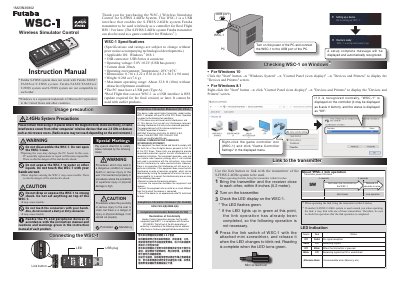
The Futaba WSC-1 is a USB interface device designed to allow S-FHSS 2.4GHz system Futaba transmitters to be used wirelessly as controllers for Real Flight RF8, RF9, or later versions. It connects via a USB Series A connector and requires Windows 10 or 8.1. The device supports a maximum operating range of approximately 10 meters under optimum conditions.
| Applicable OS | Windows 10/8.1 |
|---|---|
| USB connector | USB Series A connector |
| Operating voltage | 5.0V ±0.2V |
| Current drain | 20mA |
| Operating environment temperature | -10℃+45℃ |
| Dimensions | 18.2 x 56.5 x 9.0 mm |
| Weight | 7.6 g |
| Maximum operating range | 10m |
Bring the transmitter within 8 inches, turn it on, press the link switch on the WSC-1 with a mini screwdriver, and release it when the LED changes to blink red.
A blinking green LED indicates that the link button is being pressed.
No, the Futaba S-FHSS system does not work with Futaba FASST/FASSTest/T-FHSS systems as they are not compatible.