
Esri ArcMap ArcGIS Desktop Authentication Guide

This guide is meant for current University of Ottawa students who need to authenticate their ArcGIS Desktop (ArcMap) software.
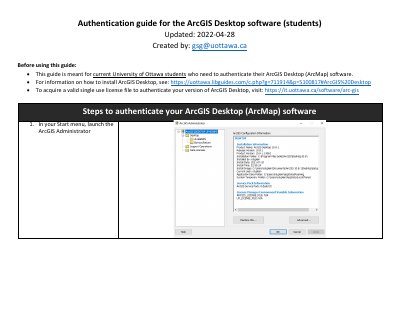

Esri ArcMap ArcGIS Desktop Authentication Guide - cover page
Brand
ESRI
Document type
User Manual
Language
English
Pages
4
File format
PDF
File size
363 KB
Published
21 October, 2023
Updated
21 October, 2023
MD5 checksum
850EC74869293DFD627A81A3F5F93DAC

About this manual

This guide helps University of Ottawa students authenticate their ArcGIS Desktop (ArcMap) software. It walks users through launching the ArcGIS Administrator, selecting the authorization file, and completing the online authorization process with Esri. After authorization, users can begin using the software. The guide includes links to installation instructions and license acquisition pages.

What's inside

  • Steps to authenticate ArcGIS Desktop (ArcMap) software
  • Launching the ArcGIS Administrator
  • Selecting authorization file
  • Authorizing with Esri using the Internet
  • Choosing organization and software categories
  • Finalizing authorization and using software

Frequently asked questions

How do I launch the ArcGIS Administrator?

In your Start menu, launch the ArcGIS Administrator.

Where do I find the authorization file?

Find your authorization file (single use license file) and select it using the Browse button.

How do I authorize with Esri?

Click "Authorize with Esri now using the Internet" and follow the prompts.

Download PDF (363 KB)

More ESRI Manuals


View all ESRI manuals →