
ESRI ArcGIS Server 9.3 Enterprise for Windows Quick-Start Guide

Describes how to install ArcGIS Server
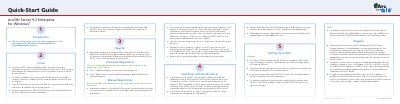

ESRI ArcGIS Server 9.3 Enterprise for Windows Quick-Start Guide - cover page
Brand
ESRI
Category
Other
Document type
Quick Start Guide
Language
English
Pages
1
File format
PDF
File size
506 KB
Published
21 October, 2023
Updated
21 October, 2023
MD5 checksum
38F0E90FEFF9B22730D9E6614F552E9F

About this manual

This guide provides step-by-step instructions for installing ArcGIS Server 9.3 on Windows, including using the DVD setup menu or running ESRI.exe manually. It also covers registration options: automatic registration via the Internet or manual registration using an ECP authorization file. Additional setup steps are provided for ArcSDE if needed.

What's inside

  • Installation
  • Registration
  • ArcSDE Setup
  • Post-Installation
  • Help Resources

Frequently asked questions

How do I install ArcGIS Server from the DVD?

Insert the DVD and either use autorun to launch the setup menu or navigate to the DVD and run ESRI.exe to select and install the software.

What is the first step to install ArcGIS Server 9.3 Enterprise for Windows?

Insert the ArcGIS Server installation media.

How do you register ArcGIS Server if the computer has an Internet connection?

Select 'Register now using the Internet [Recommended]' and finish the registration process.

What is the path to access ArcGIS Server Help after installation?

Start > Programs > ArcGIS > ArcGIS Server (for the Java Platform or for the Microsoft .NET Framework) > ArcGIS Server Help.

Download PDF (506 KB)

More ESRI Manuals


View all ESRI manuals →