
This document is a quick start guide for the PortServer TS series products, which introduces the connection and usage methods of the products.
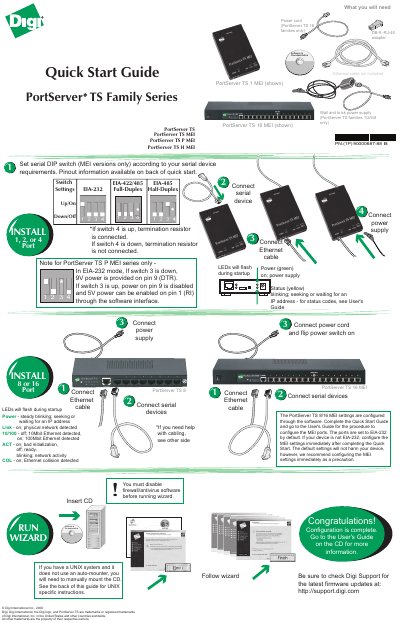
This document serves as a quick start guide for the Digi PortServer TS Family Series, specifically the MEI versions (TS 8 and TS 16). It provides step-by-step instructions for initial setup, including connecting serial devices, Ethernet cables, and power supplies. The guide also details how to install the configuration software wizard from the included CD.
| Default Serial Standard | EIA-232 |
|---|---|
| Ethernet Speed | 10/100 Mbit |
| Power Supply Type | Wall and brick |
The ports are set to EIA-232 by default.
The settings are configured through the software wizard included on the CD.
You may need to manually mount the CD if your system does not use an auto-mounter.