
The eBlot L1 Protein Transfer System is a fast wet transfer system for mini gels. This manual provides an overview of the eBlot L1, its components, initial setup, instructions for use, and troubleshooting tips.
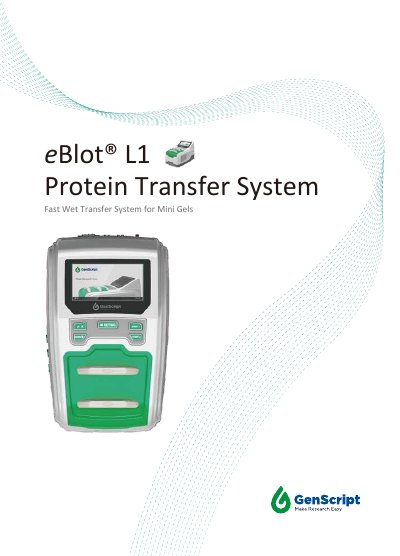
The eBlot L1 is a fast wet protein transfer system designed for transferring proteins from polyacrylamide gels to PVDF or nitrocellulose membranes. It supports transfers of 1 or 2 mini gels at a time and offers customizable programs for efficiency. The device includes a digital display, LED indicators, and built-in safety features. Setup takes less than 2 minutes and includes connecting transfer buffers and waste containers. Maintenance involves regular cleaning of channels and pipelines after 100 transfers, using NaOH and water cycles. The system operates between 15-40°C and requires a power supply of 100-120 V or 220-240 V, 50/60 Hz, 17 A.
| Weight | 9.5 Kg |
|---|---|
| Dimensions | 410 mm (L) x 270 mm (W) x 260 mm (H) |
| Electrical Requirements | 100-120 V, 220-240 V, 50/60 Hz, 17 A |
| Operating Temperature | 15-40 °C |
| Transfer Time | 9-17 minutes |
Connect the inlet and outlet tubes from the instrument to the color-matched liquid containers: blue cap and inlet for Transfer Buffer 1, green cap and inlet for Transfer Buffer 2 (ddH₂O), and colorless/white cap and outlet for Waste.
The warranty is one year from the date of purchase or an accumulative working time of 10,000 minutes (Channel A+B), whichever comes first.
Press UP and SETTING keys simultaneously until beeps to empty the pipeline. Set cleaning program (Method 4), insert inlet tube into 0.1M NaOH, run program in both channels, then rinse with water, and reset to normal program.