
This is a manual for the ScanSnap S1500/S1500M scanner. The manual includes information on how to prepare the scanner for use, features and functions, basic operations, daily care and consumable replacement.
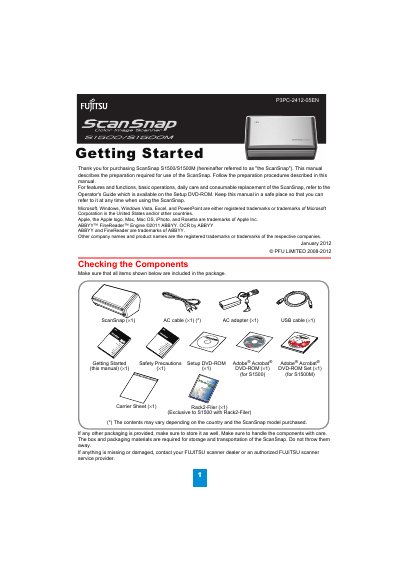
This guide helps you prepare and set up your FUJITSU ScanSnap S1500/S1500M scanner. It includes instructions for checking components, removing protective packaging, installing software for Windows and Mac OS, and connecting the device to your computer via USB. Safety precautions and system requirements are also detailed.
The guide references the Operator's Guide for daily operations and troubleshooting. It notes compatibility with ABBYY FineReader for OCR and mentions software like ScanSnap Manager, Organizer, and CardMinder. It also includes warnings about handling magnetic cards and USB speed limitations with USB 1.1 ports.
| Operating Systems | Windows® 7 (32-bit/64-bit), Windows Vista® (32-bit/64-bit), Windows® XP (32-bit), Windows® 2000 |
|---|---|
| CPU | Intel® Core™ 2 Duo 2.2 GHz or higher (minimum: Intel® Pentium® 4 1.8 GHz) |
| Memory | 32-bit Windows: 1 GB or more; 64-bit Windows: 2 GB or more |
| Hard Disk Space | 3350 MB or more (3800 MB or more for Rack2-Filer) |
The software includes ScanSnap Manager, ScanSnap Organizer, CardMinder, and ABBYY FineReader for ScanSnap™. Additional software like Evernote or Adobe Acrobat may require separate installation.
Windows® 7 (32-bit/64-bit), Windows Vista® (32-bit/64-bit), Windows® XP (32-bit), or Windows® 2000. CPU: Intel® Core™ 2 Duo 2.2 GHz or higher (minimum: Intel® Pentium® 4 1.8 GHz). Memory: 1 GB or more for 32-bit, 2 GB or more for 64-bit.
Yes, but it will work as USB 2.0. Scanning speed may be slower with USB 1.1 ports or hubs.