
Fleck 2510 Sediment Filter Installation & Start-Up Guide

This manual provides instructions for installing and starting up the Fleck 2510 manual sediment filter.
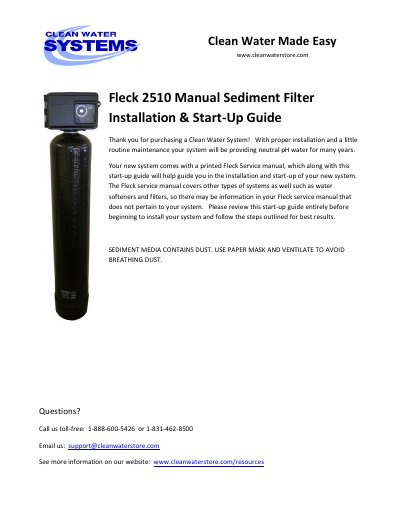

Fleck 2510 Sediment Filter Installation & Start-Up Guide - cover page
Brand
Fleck
Category
Other
Document type
Installation Guide
Language
English
Pages
12
File format
PDF
File size
897 KB
Published
18 October, 2023
Updated
18 October, 2023
MD5 checksum
E570D5709BB85E09D6128909F890D414

About this manual

This guide provides instructions for installing and starting up the Fleck 2510 Manual Sediment Filter. It includes a packing list for different tank sizes (1.0, 1.5, 2.0, and 2.5 cubic feet) and details on pre-installation requirements, such as selecting a suitable location and ensuring proper water pressure between 20 and 90 PSI. The document also covers best practices for piping and drain installation, including the use of ball valves and hose bibs.

What's inside

  • Packing List
  • Pre-Installation
  • Best Practices for Piping & Drain Installation
  • How Your Sediment Filter Works
  • Assembly and Installation Instructions
  • Timer Setting and Initiating a Manual Backwash Procedure
  • Troubleshooting the Fleck 2510 Sediment Filter

Specifications

Minimum Pressure20 PSI
Maximum Pressure90 PSI
Media TypeChemsorb media

Frequently asked questions

What is the typical installation time for the Fleck 2510?

Installation typically takes 3 to 5 hours.

How do you prevent sediment from entering the distributor tube during media addition?

You should plug or tape the top of the distributor tube to prevent media from entering.

What lubricant should be used on the bypass valve O-rings?

Use vegetable oil or silicone grease to lubricate the bypass valve O-rings.

Download PDF (897 KB)

More Fleck Manuals


View all Fleck manuals →